
This article was first published in 2020 on my previous blog. I’m re-posting it here as part of migrating old content, since kernel-related issues like this can still be relevant.
The problem
If your intel sound card does not work after updating Linux kernel you can revert back the kernel.
In my case, the sound card stopped working after installation the kernel linux-image-5.3.0-7642-generic
These steps can help you to revert back the kernel
Check your current kernel version
uname -a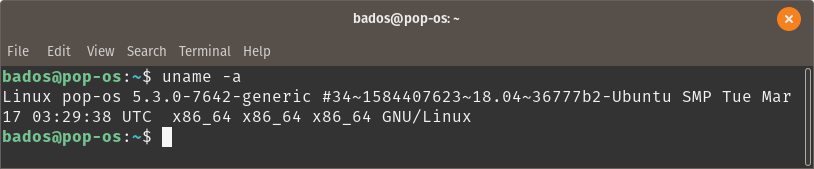
Check the list of available kernels
ls /boot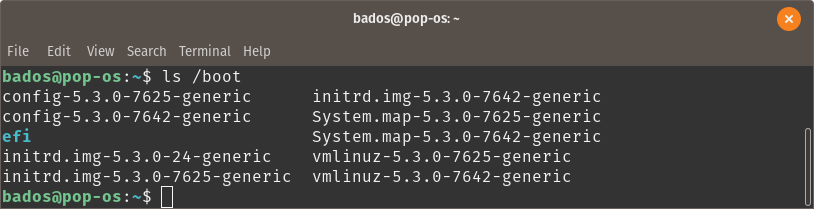
So, my previous kernel is linux-image-5.3.0-7625-generic
Let’s revert back the previous kernel
sudo kernelstub -v -o "quiet loglevel=0 systemd.show_status=false splash" -k /boot/vmlinuz-5.3.0-7625-generic -i /boot/initrd.img-5.3.0-7625-generic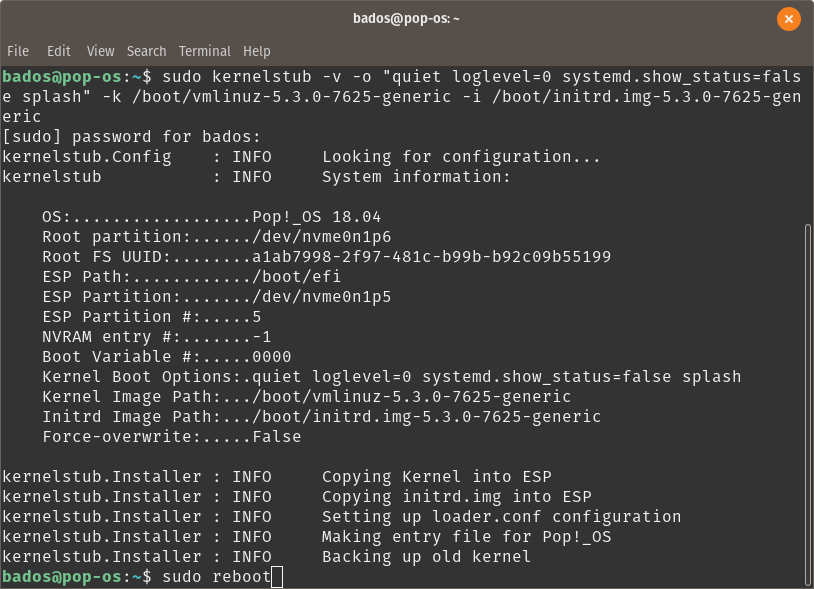
sudo rebootCheck your kernel version again
uname -a
It should be your previous kernel.
After that, the sound card should work.
I hope this problem will be fixed in the next kernel version.
Leave a Reply