I used my Roborock S6 for about six years, but a couple of weeks ago it died and couldn’t be repaired. So I bought a new Roborock Q7 L5.
And almost immediately, I started having problems with the Q7 L5.
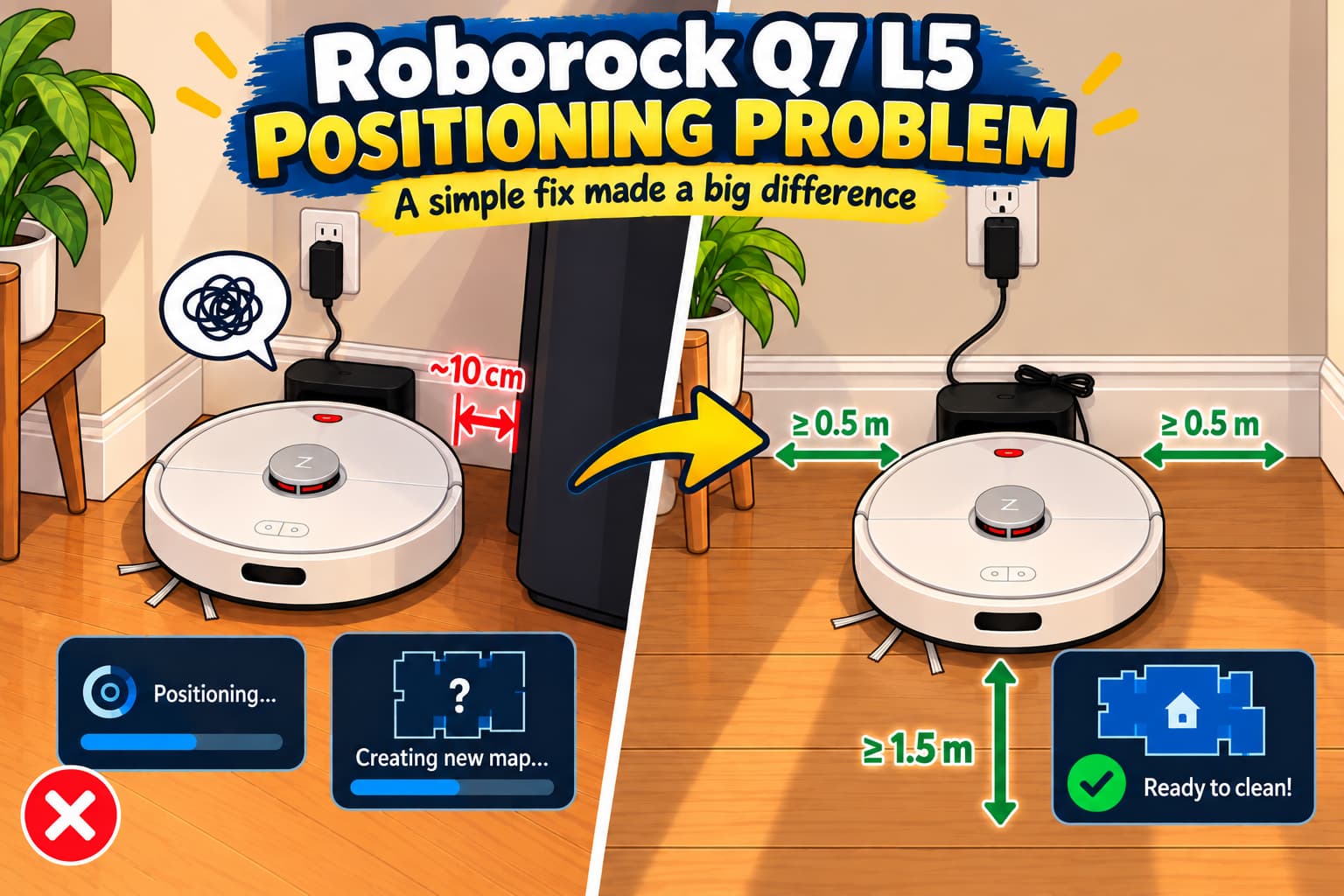
Every time I started cleaning, the robot spent quite a lot of time positioning itself, even though it already had a saved map. Sometimes it failed to recognize its location and started creating a new map of the house or it also showed a positioning error and asked me to place the robot back on the charging dock.
The charging dock for both my old Roborock S6 and the new Q7 L5 was in the corner of the room.
The manuals for both models say that there should be at least 0.5 meters (1.6 ft) of free space on each side of the charging dock and 1.5 meters (4.9 ft) in front of it.
In my case, there was only about 10 cm (4 inches) of space on one side.
The interesting part is that my Roborock S6 worked perfectly in this exact setup for six years. In my case, the newer Q7 L5 seems to be more sensitive to charging dock placement.
I moved the charging dock to the hallway, where there is enough free space on both sides. And that fixed the problem.
The Q7 L5 no longer spends a lot of time positioning itself before cleaning, and it stopped randomly creating a new map of my house.
Yes, I know that the manual clearly says to leave 0.5 meters of free space on each side of the charging dock. But my previous Roborock worked perfectly like this for six years, so I didn’t think the charging dock placement could be the problem.
I was already starting to think that something was wrong with the firmware.
So, read the manual and follow the requirements from the beginning 😅
Leave a Reply